Know what you’ve been paid, and what you haven’t.
Record payments against each invoice and PlusGST keeps the rest up to date: what is due, what is overdue, and how long it has been waiting.
PlusGST records the payments you receive. It does not collect money or charge your clients.
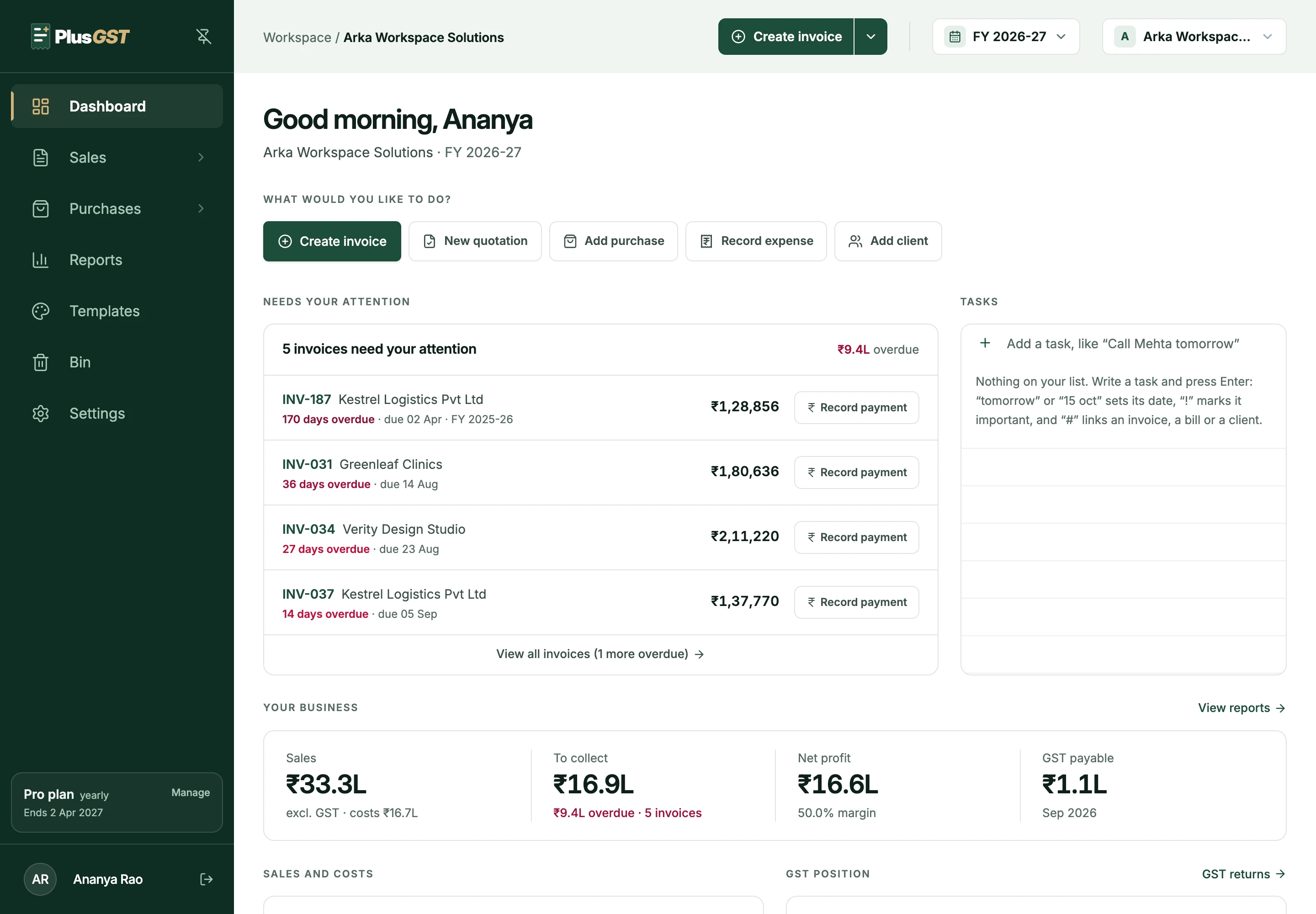
What happens after you issue an invoice.
Nothing to set up. Payment status is worked out from what you record, so it is never a field someone forgot to change.
- 1
Issue the invoice
Every invoice starts as Unpaid, with the due date you gave it.
- 2
Record what arrives
Add each payment with its date and method, in full or in part, with any TDS the client deducted.
- 3
The status follows
Unpaid becomes Partial, then Paid. Past its due date with a balance left, an invoice is marked Overdue.
- 4
Chase what is late
The dashboard lists overdue invoices, oldest first, each one a click away from recording the payment.
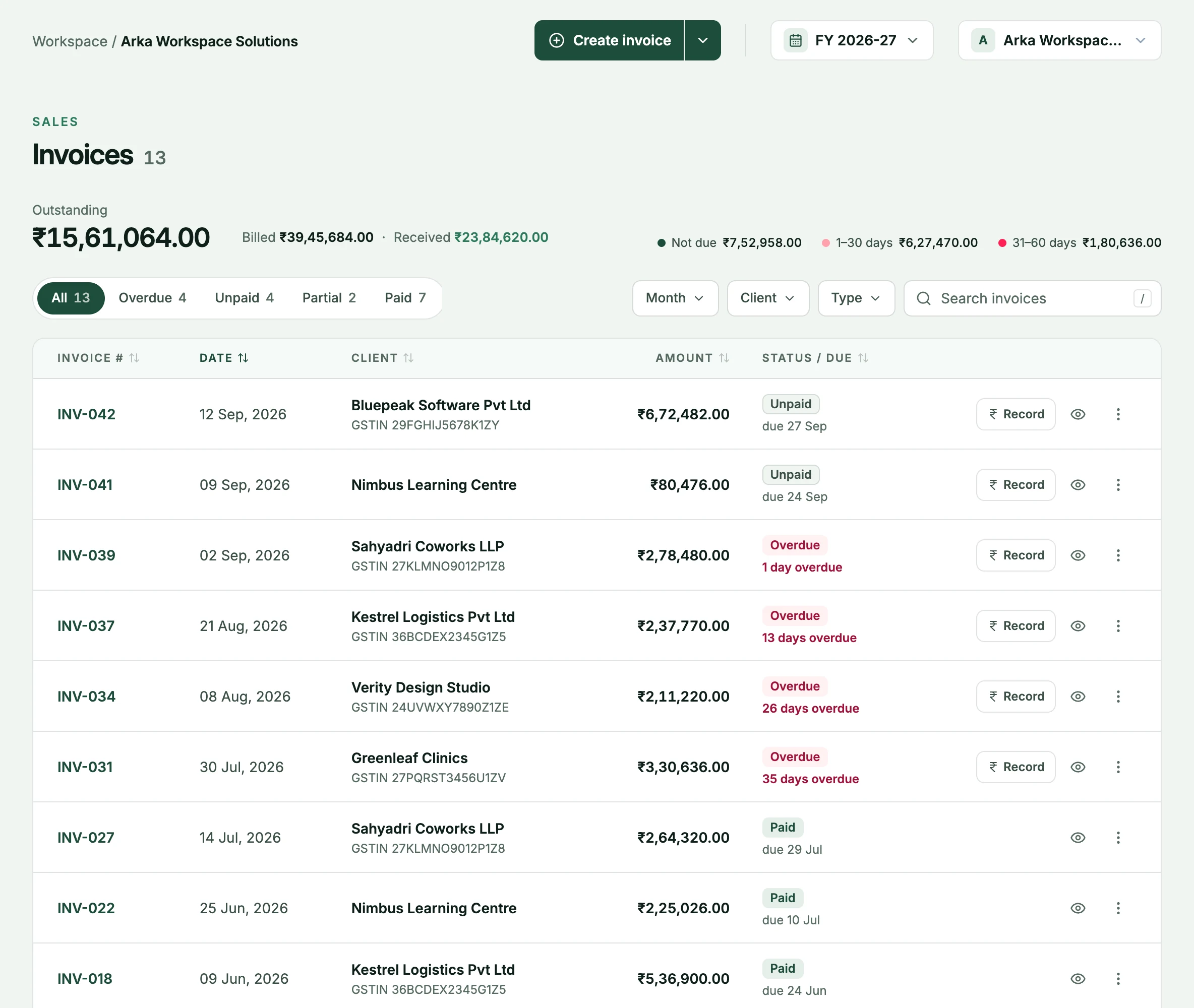
Part payments and TDS, kept as a history.
Clients rarely pay the way an invoice assumes. Record what actually happened.
- Every payment, in order
- Amount, date and method for each one. The invoice shows what is settled and what is still due.
- TDS alongside the payment
- Pick a rate or type the amount. TDS settles the invoice just as the bank transfer does, and is kept separate from cash received.
- Fill the balance in one click
- “Fill balance” sets the amount to whatever is left, after TDS.
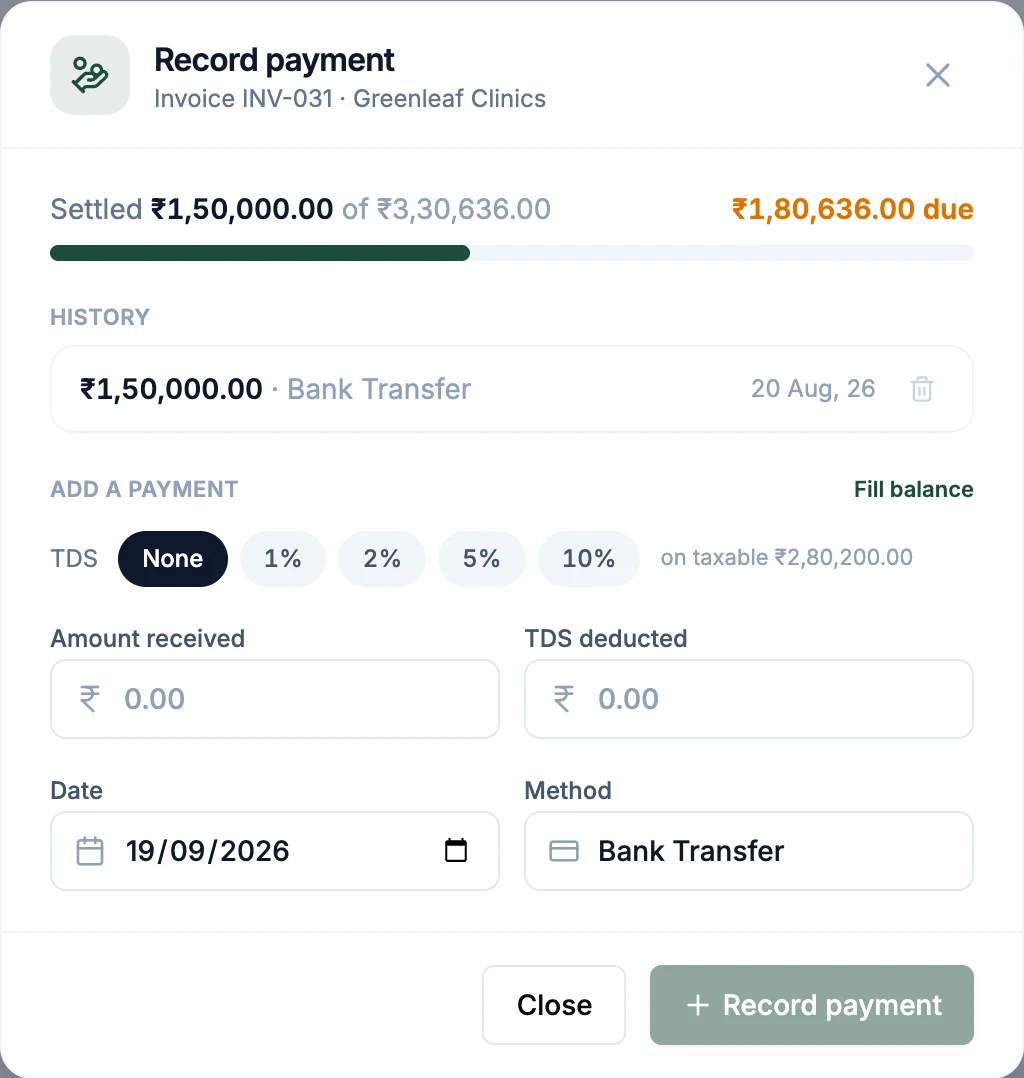
How long has it been owed?
Receivables ageing sorts what is unpaid by how late it is, and the same view exists for what you owe your vendors.
- Five bands
- Not due, 0 to 30, 31 to 60, 61 to 90 and over 90 days, with a total for each.
- Old dues stay visible
- Invoices unpaid from earlier financial years remain in what you have to collect.
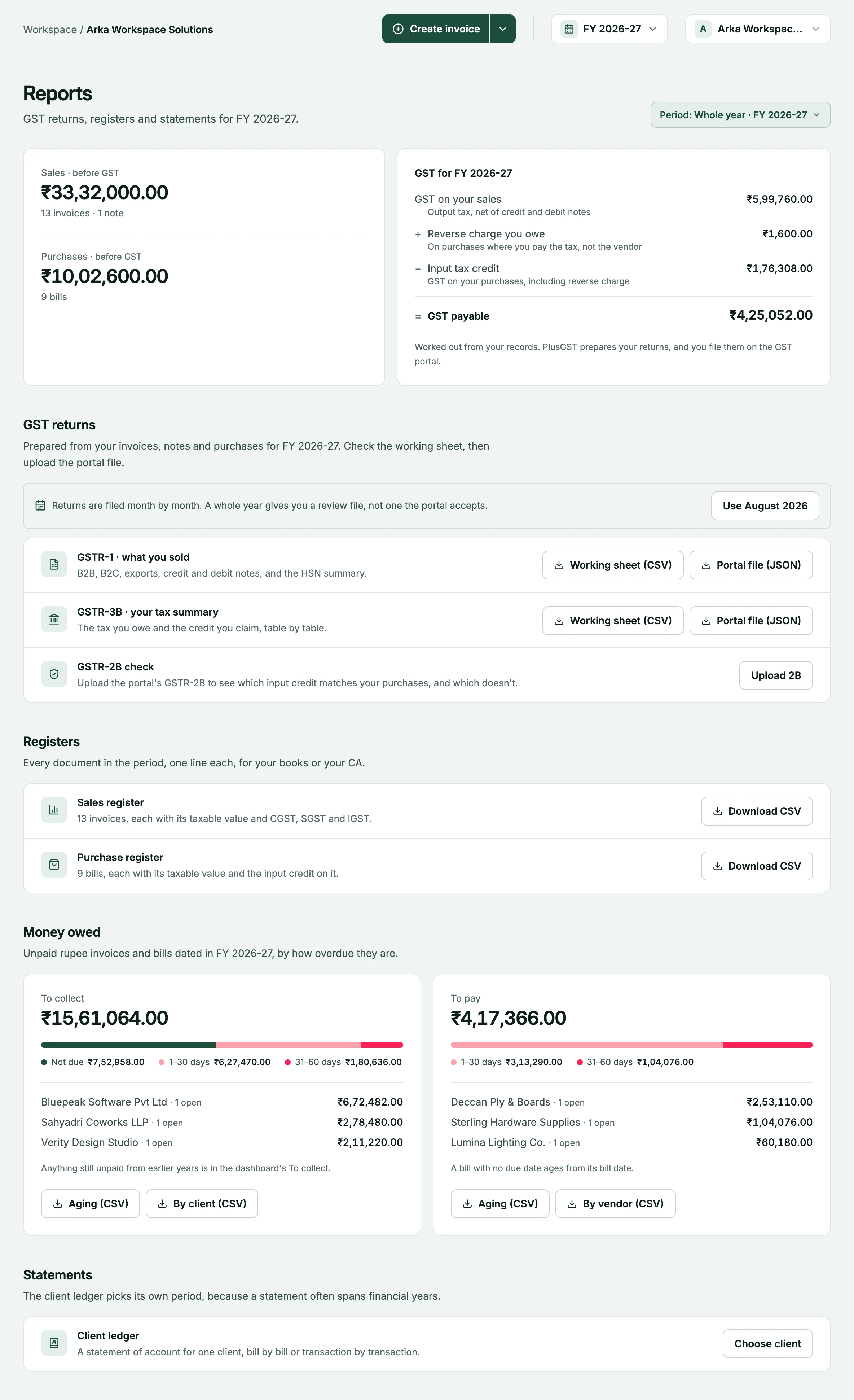
A ledger for every client.
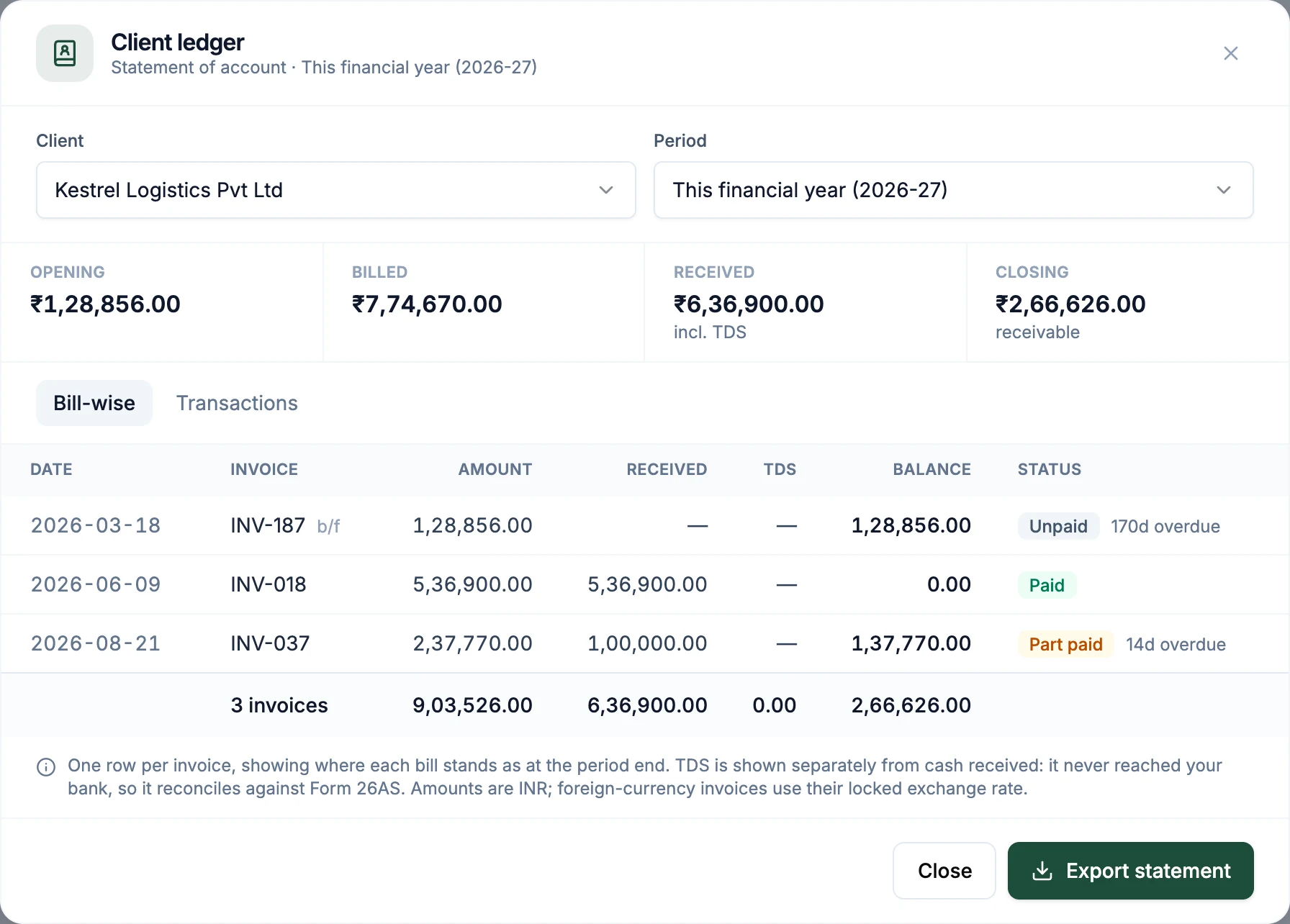
When a client asks what they owe, open their ledger for any period and export the statement.
- Opening, billed, received, closing
- Balances brought forward from before the period, and what is receivable at the end of it.
- Bill-wise or by transaction
- One row per invoice with its balance and status, or every invoice and payment in date order.
Invoice, payment, GST report.
Payments sit in the middle of the same record.
- BeforeInvoicingWhere the invoice, its due date and its total come from.Explore invoicing
- AlongsidePurchasesThe other direction: what you owe vendors, aged the same way.Explore purchases
- At filing timeGST reportsGST is reported on what you invoiced, whether or not it has been paid yet.Explore GST reports
Questions, answered plainly.
More on the FAQ page.
Does PlusGST collect payments for me?
No. PlusGST records the payments you receive, each with its date and method, and keeps your receivables up to date. The money still reaches you the way it does today.
Can I record part payments?
Yes. Each payment is added to the invoice's history, and the invoice shows as Partial until the balance reaches zero.
How is TDS handled?
Record the TDS your client deducted along with the payment. It counts towards settling the invoice and is shown separately from cash received in the client's ledger.
When does an invoice count as overdue?
When its due date has passed and a balance is still outstanding. Overdue is worked out each time you look, so it is never out of date.
What happens to unpaid invoices when a new financial year starts?
They stay in what you have to collect. Money owed from earlier years is not hidden on 1 April.
Can I send a client a statement?
Yes. Open the client's ledger for any period and export the statement, bill-wise or as a list of transactions.
See what you are owed by tonight.
Start with the Free plan, raise an invoice and record the first payment against it.