Create GST invoices without doing the GST maths twice.
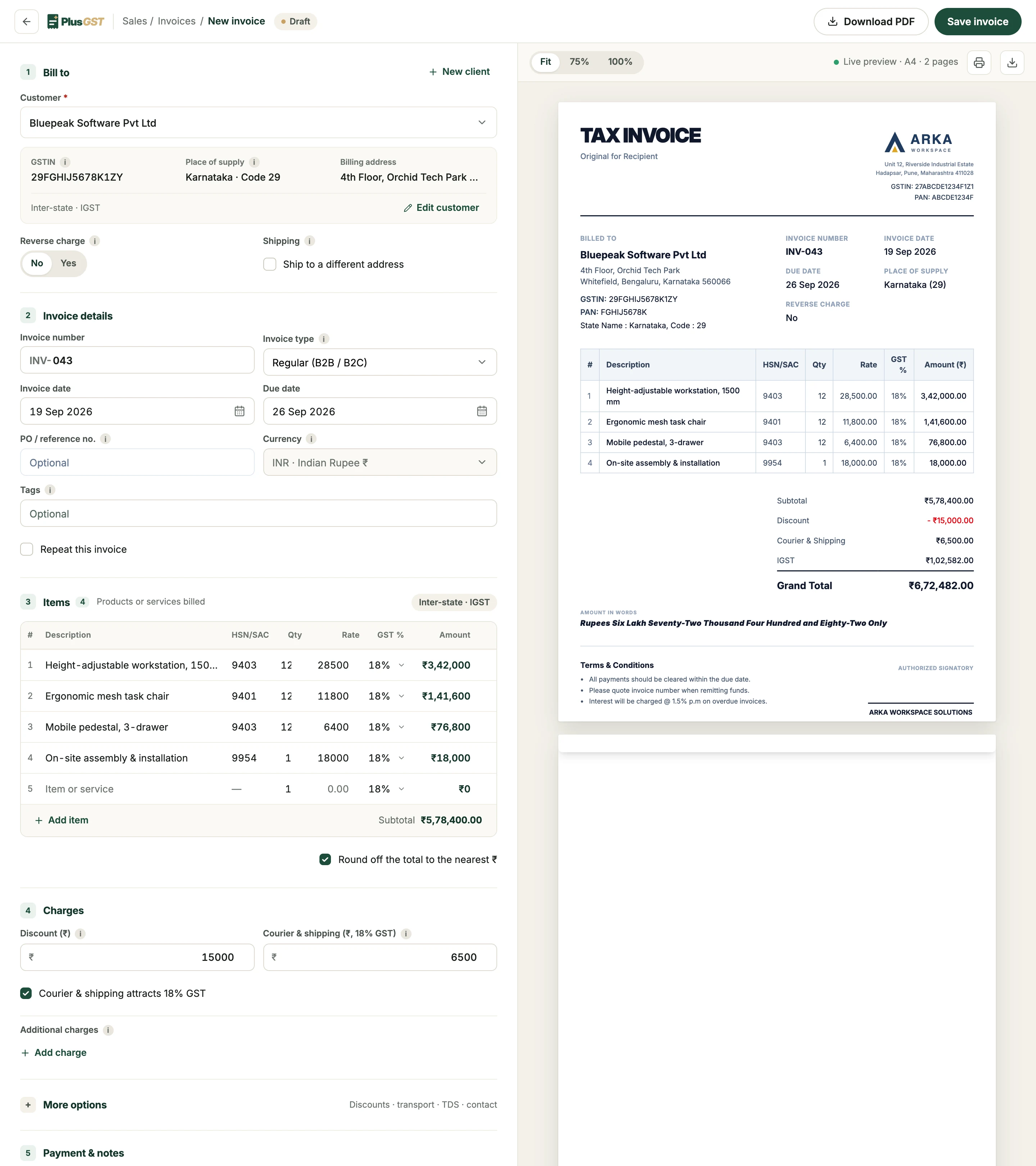
Pick the client and add what you sold. PlusGST works out CGST and SGST or IGST, takes the discount off before tax, and writes the total in words, with the finished invoice beside the form while you type.
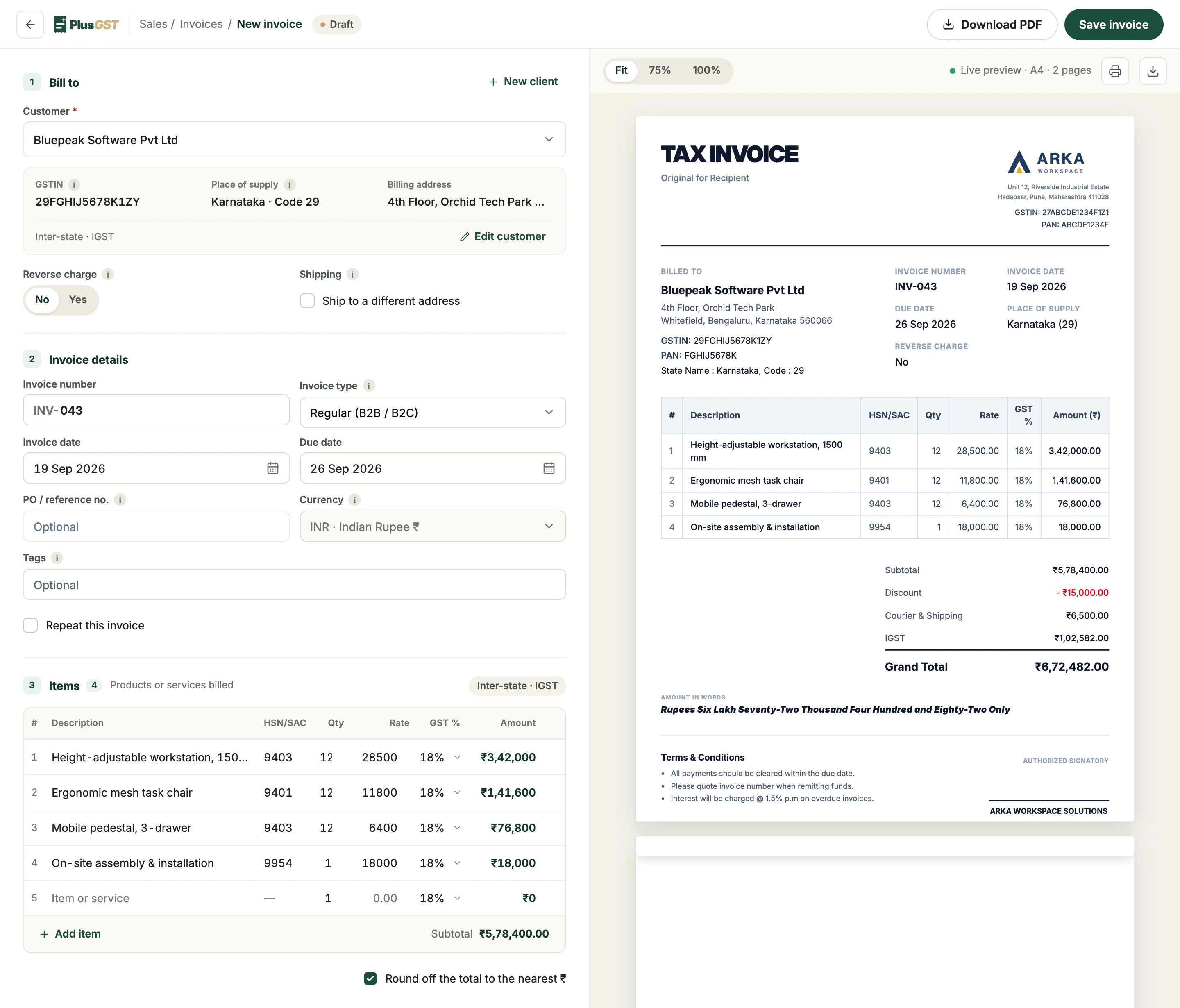
From a blank form to a finished invoice.
Four steps, on one screen. Nothing here is a wizard: every part stays editable until you save.
 1
1Choose the client
Pick a saved client and their GSTIN, address and state come with them. A new client can be added without leaving the invoice.
- 2
Add your items
Description, HSN or SAC code, quantity, rate and GST rate. Items you keep in inventory fill themselves in as you type the name.
- 3
Review the GST
Subtotal, discount, shipping and the tax lines are worked out as you go. You never choose between IGST and CGST plus SGST.
 4
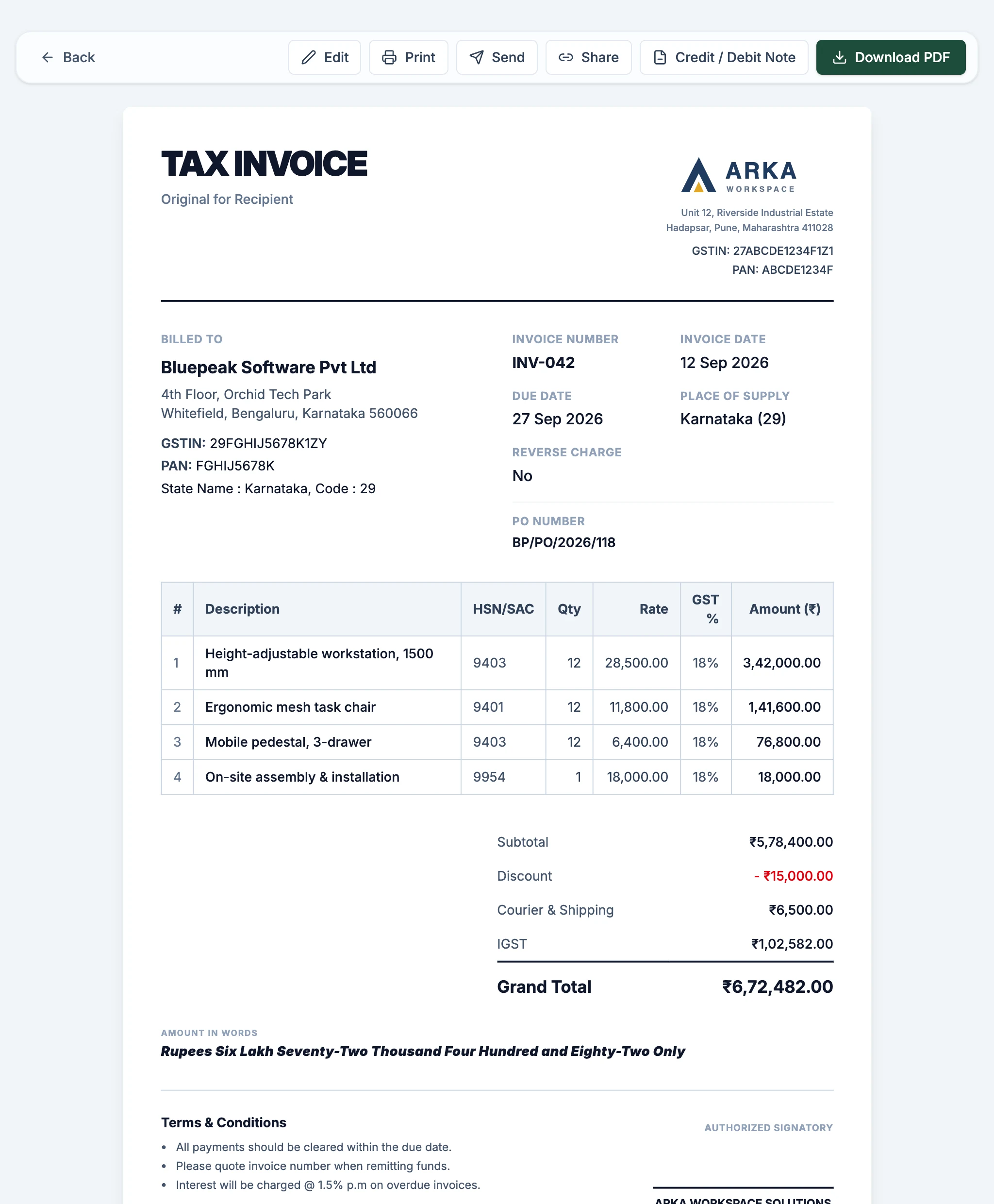
4Issue the invoice
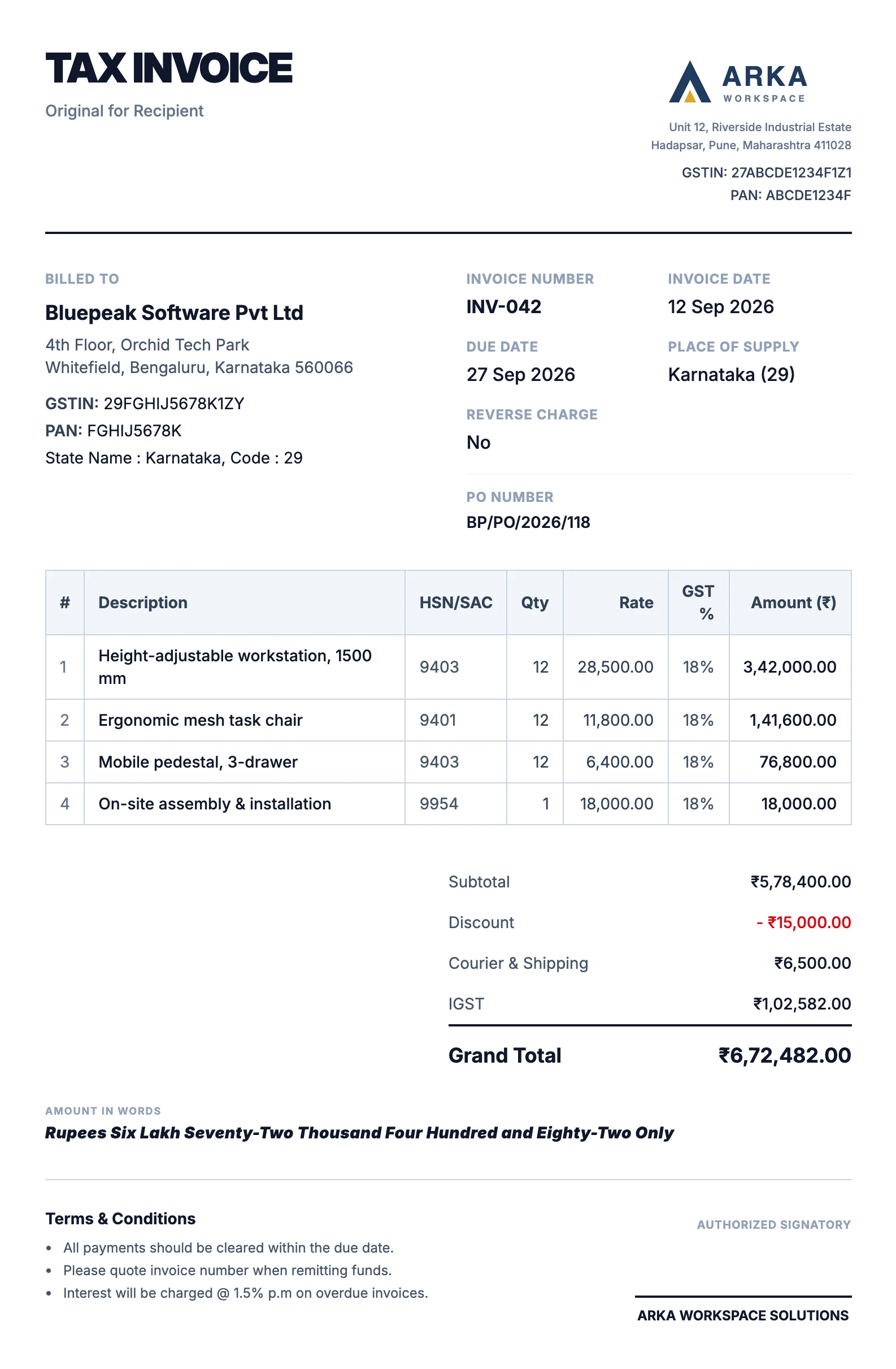
Save it, then download the PDF, print it or email it to the client from PlusGST.
What you type is what prints.
The preview beside the form is the real document, in your chosen design, updating with every change. The PDF your client receives is that same page.
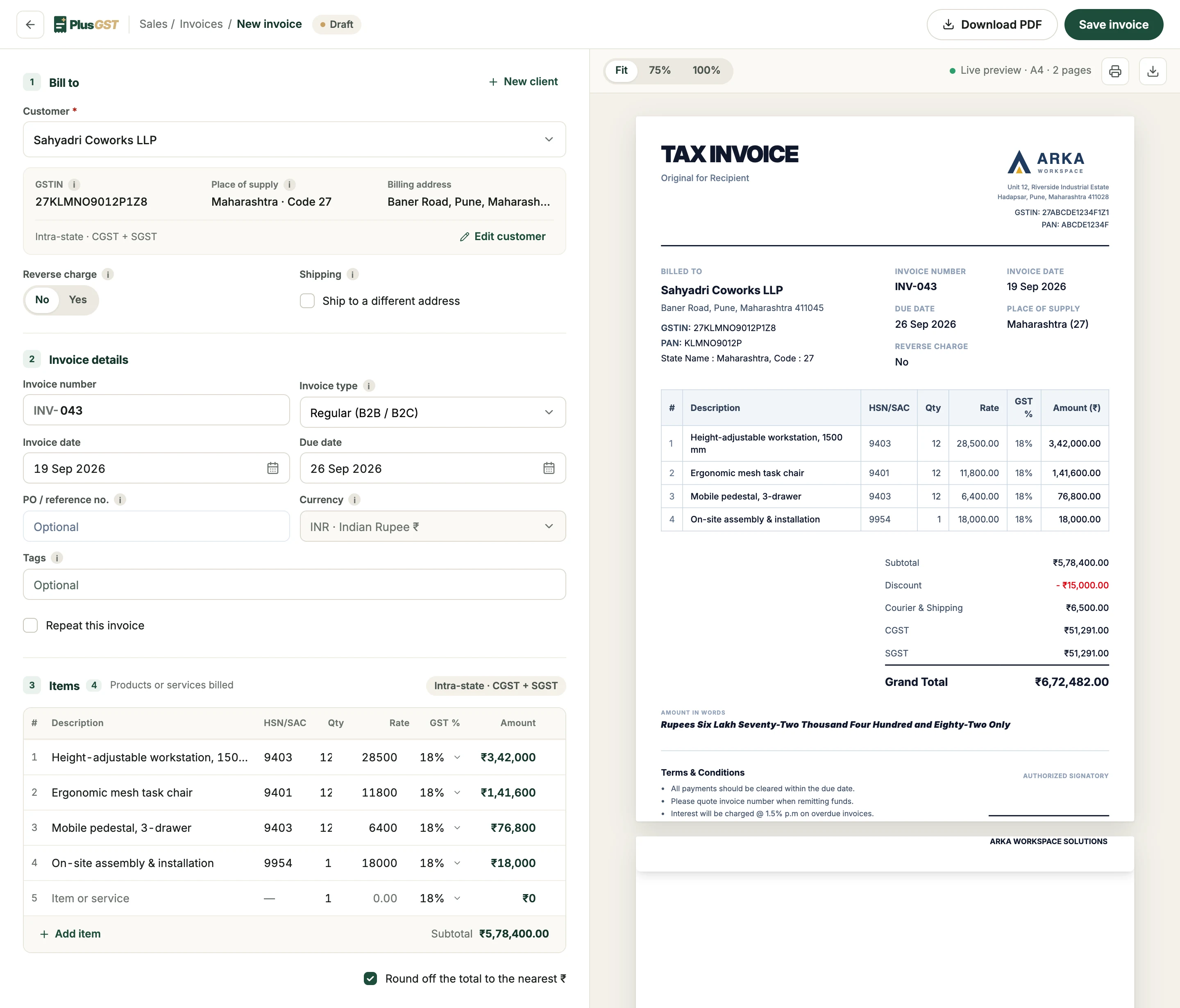
One order, two customers, two kinds of GST.
The tax split follows the customer’s state. Switch between the two and watch the same invoice change, in the form and in the preview.
Maharashtra to Karnataka: the whole 18% is charged as one IGST line.
The small print, handled.
The details that make an invoice correct are options on the invoice, not sums you do on the side.
- Discount before tax
- An invoice discount is spread across the items and taken off before GST is charged.
- Shipping, taxed or not
- Tick “Courier & shipping attracts 18% GST” and freight is taxed at 18% on the same tax lines. Untick it and it is added as it is.
- Round off, shown
- Round the total to the nearest rupee and the adjustment prints as its own line, so every line still adds up.
- Numbers in series
- Set your prefix once. The next number is suggested within the financial year, and a repeat is refused.
Every detail a tax invoice needs, typed once.
Rule 46 of the CGST Rules lists what a tax invoice has to show. In PlusGST each detail has one place it comes from, so nothing is typed twice and nothing is left off.
| On the invoice | Where it comes from |
|---|---|
| Your name, address, GSTIN, logo and signature | Your business profile, set once |
| The customer’s name, GSTIN, address and state | The client record, or a client added from the invoice |
| Invoice number and date | Your prefix, and the next number in this financial year’s series |
| Description, HSN or SAC, quantity, rate and GST rate | The item lines; saved inventory items fill in as you type |
| Discount and shipping | Options on the invoice: the discount comes off before tax, and shipping is taxed at 18% or not at all |
| CGST and SGST, or IGST | Worked out from your state code and the customer’s |
| Reverse charge | A tick box on the invoice |
| The total in words | Written from the grand total |
| Bank details | Your business profile, printed when switched on |
What each of these means, with a worked example of the GST on one order billed in your state and to another, is in the GST invoice guide. Where each one sits on the page depends on the invoice template you choose.
The same builder makes repeat invoices, which raise the next copy on their schedule, and an accepted quotation becomes an invoice without being typed again.
An invoice is where the work starts.
The same entry carries on into how it looks, whether it has been paid, and what you report.
- ThenTemplatesThree designs for the invoice you just made, with your logo and signature.Explore templates
- After thatPaymentsRecord what arrives and see what is still owed, invoice by invoice.Explore payments
- At filing timeGST reportsThe invoices you issued become your GSTR-1 and GSTR-3B export files.Explore GST reports
Questions, answered plainly.
More on the FAQ page.
How does PlusGST decide between IGST and CGST + SGST?
It compares the GST state code of your business with your customer's, taken from the GSTIN or the state you chose. The same state gives CGST and SGST in equal halves; a different state gives IGST. You do not pick the tax type yourself.
Can I give a discount on the whole invoice?
Yes. An invoice-level discount is spread across the items in proportion to their value and taken off before GST is calculated, so tax is charged on the reduced amount.
Is shipping taxed?
That is your choice on each invoice. With "Applies 18% GST" ticked, shipping or courier charges are taxed at 18% and the tax joins the same IGST or CGST and SGST lines. Unticked, the charge is added without tax.
Can I control my invoice numbers?
You set the prefix once, and PlusGST suggests the next number in that series within the financial year. You can change the number on an invoice, and a number already used in the same financial year is refused.
Can I raise export invoices?
Yes. Mark the invoice as an export, choose the currency and record the exchange rate. Export invoices carry no GST, and the rupee value is kept for your reports.
How do I get the invoice to my client?
Download it as a PDF, print it, or email it from PlusGST with the PDF attached.
Ready to make your next invoice?
Start with the Free plan and see how PlusGST fits into your day.