Three invoice designs. One set of numbers.
Three designs, one set of numbers. Add your logo and signature once. The same design prints your quotations and credit notes, so everything you send matches.
Clean and roomy, with your logo up top. On every plan, Free included.
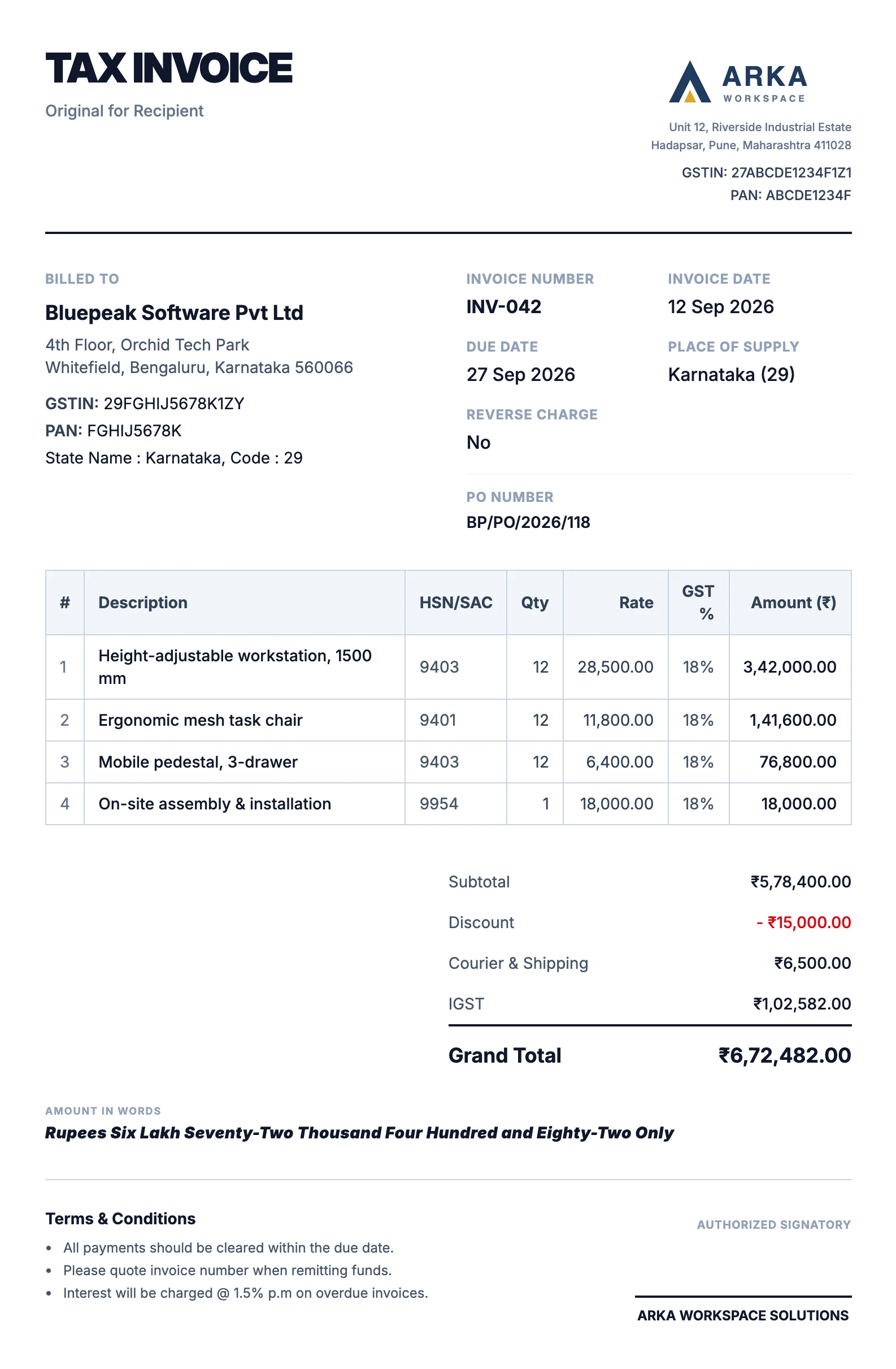
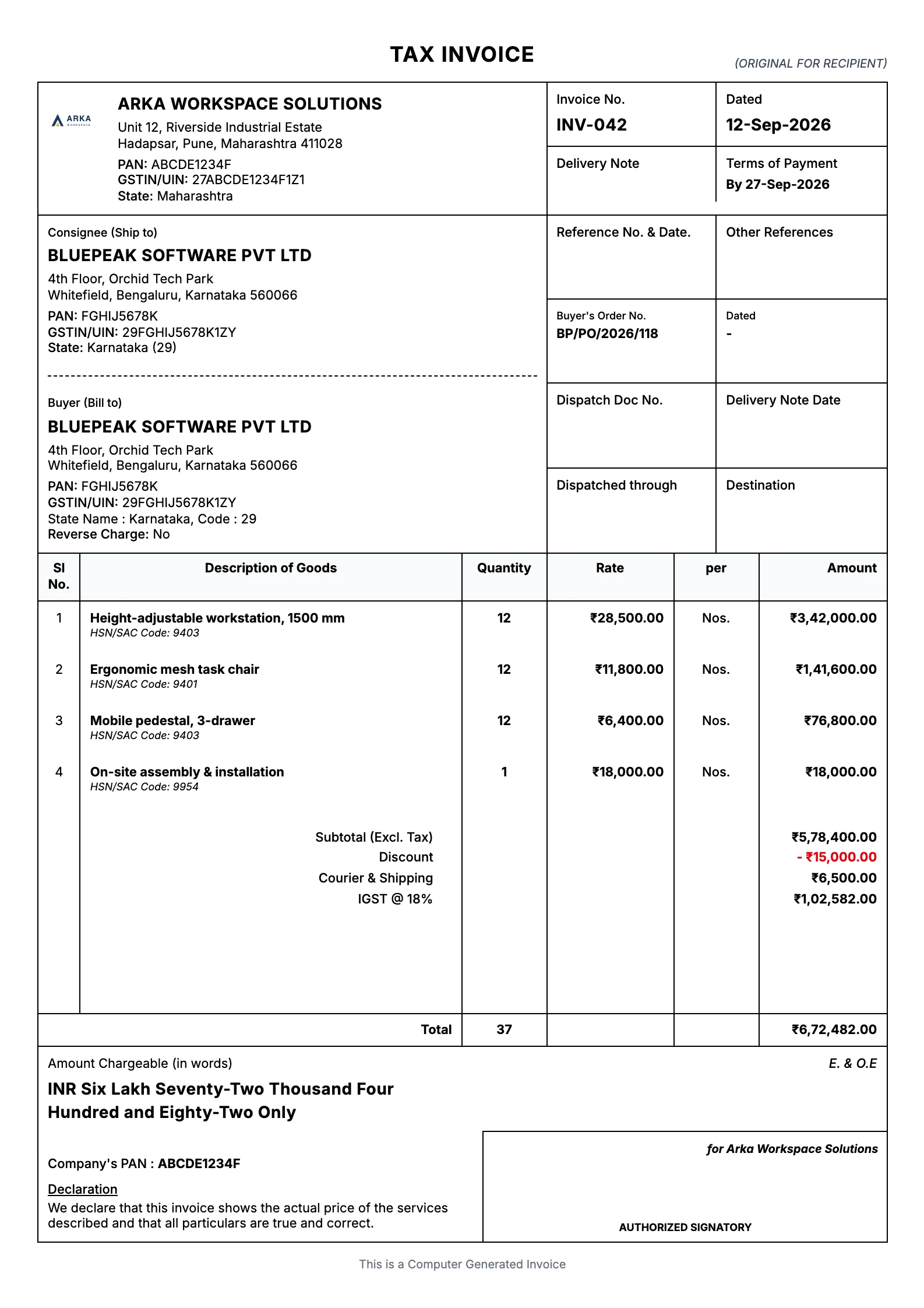
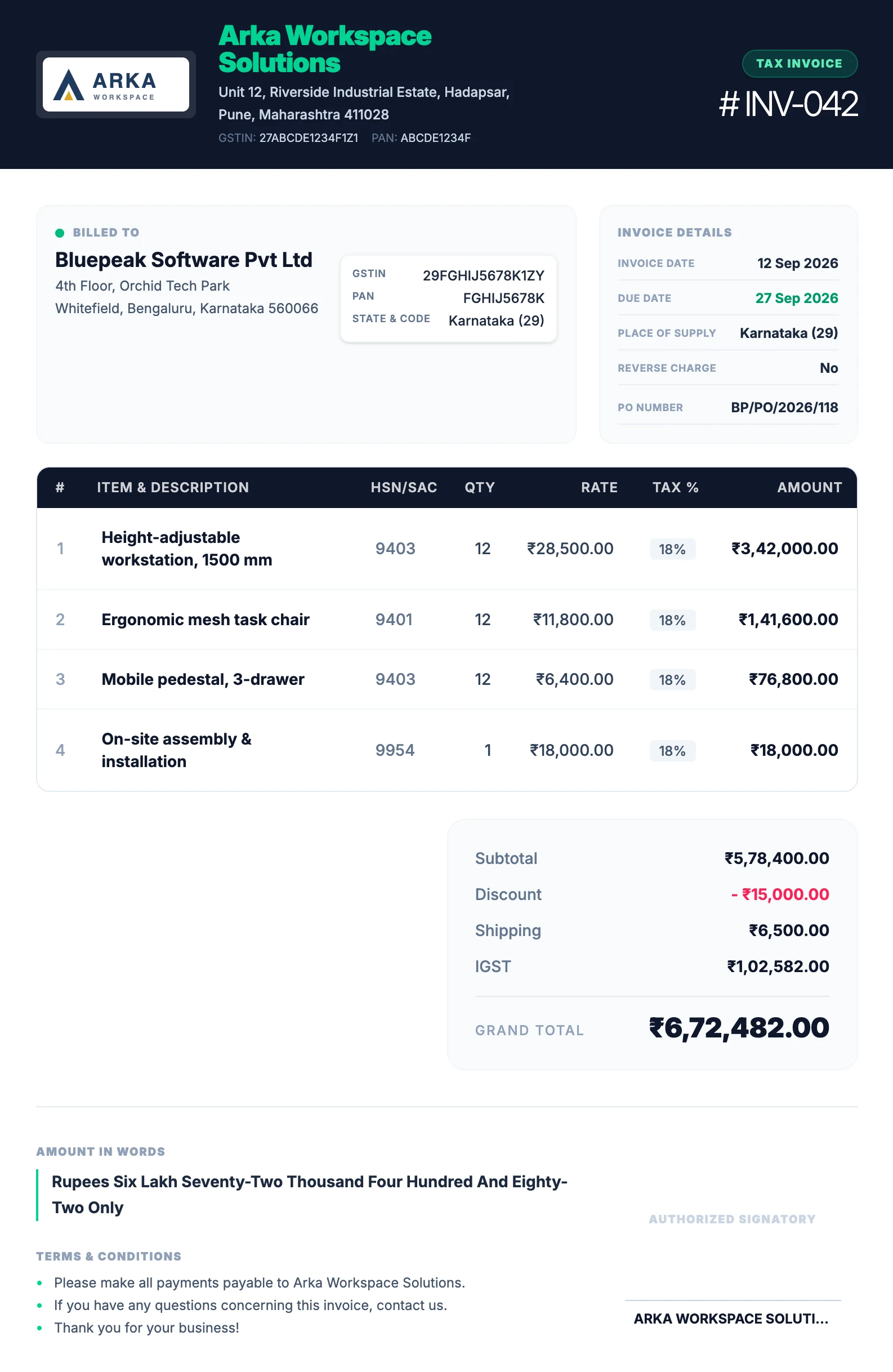
The same invoice, three ways.
Every design prints the same things in the same order of importance: who is billing, who is billed, what was sold, the GST, the total and the amount in words. Pick the one that looks like you.
Your business, on every page.
Set these once for a business and every document it sends carries them.
- Logo and signature
- Upload both once. The signature sits over the authorised signatory line, the logo leads the page.
- Business details and GSTIN
- Name, address, GSTIN and PAN print from your business profile, and each invoice keeps its own copy.
- Bank details, when you want them
- The bank block prints when details are set and switched on, beneficiary name first. Switch it off and it is simply not there.
- Terms that fit the document
- Your own terms, or sensible defaults: payment terms on an invoice, validity on a quotation.
One design for everything you send.
A template is not just an invoice layout. The same design prints your quotations and your credit and debit notes, with the wording each one needs.
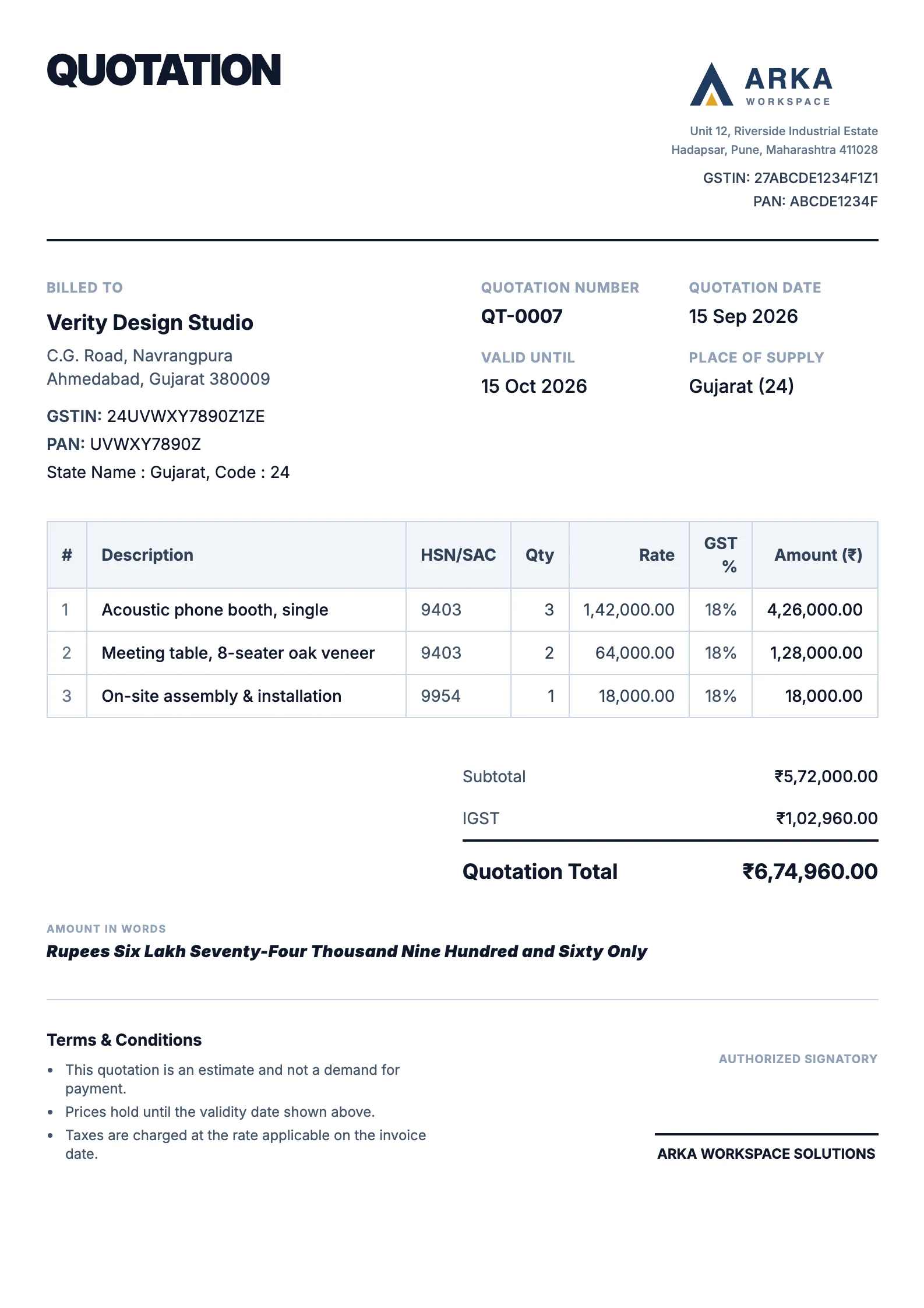
- A quotation reads as a quotation
- Its own number and date, a Valid Until date, a quotation total, and no bank details, because nobody pays a quote.
- Issued invoices never change
- Switch design tomorrow and the invoices you already sent still print the way they were issued.
What each document prints.
The heading, the second date, the bank block and the total line follow the document you print, whichever design you choose.
| Document | Heading | Second date | Bank details | Total line |
|---|---|---|---|---|
| Tax invoice | TAX INVOICE | Due Date | When set | Grand Total |
| Quotation | QUOTATION | Valid Until | Left off | Quotation Total |
| Credit note | CREDIT NOTE | None | Left off | Total Credited |
| Debit note | DEBIT NOTE | None | When set | Total Debited |
| Invoice from a seller not registered for GST | INVOICE | Due Date | When set | Grand Total |
Every design prints the same details: your business and GSTIN, the client, HSN or SAC codes, quantities, rates, the GST lines, the total and the amount in words. The GST invoice guide explains what a tax invoice has to carry and why, and invoicing shows how the numbers on the page are worked out.
A design is only half an invoice.
See where the numbers on the page come from, and what happens once it is sent.
- BeforeInvoicingHow the invoice is built: clients, items, GST and totals, with a live preview.Explore invoicing
- AfterPaymentsRecord what arrives against each invoice and see what is overdue.Explore payments
- PlansPricingModern is on every plan. Professional and Premium open on Pro and Business.See pricing
Questions, answered plainly.
More on the FAQ page.
Do the three templates show the same information?
Yes. They print the same invoice: your business and GSTIN, the client, HSN or SAC codes, quantities, rates, the GST lines, the total and the amount in words. Only the layout changes.
Can I add my logo and signature?
Yes. Upload them once in your business settings and every template uses them.
Can I leave my bank details off the invoice?
Yes. The bank block prints only when bank details are set and switched on for the business.
Do the templates work for quotations and credit notes?
Yes. Each template is one design for every document PlusGST prints: tax invoices, quotations, and credit and debit notes.
Which templates are on the Free plan?
Free includes the Modern template. Professional and Premium open on the Pro and Business plans.
If I switch template, do invoices I already sent change?
No. An issued invoice keeps the design and the business details it was issued with.
Send an invoice that looks like your business.
Start with the Free plan and see how PlusGST fits into your day.