Free GST invoice generator
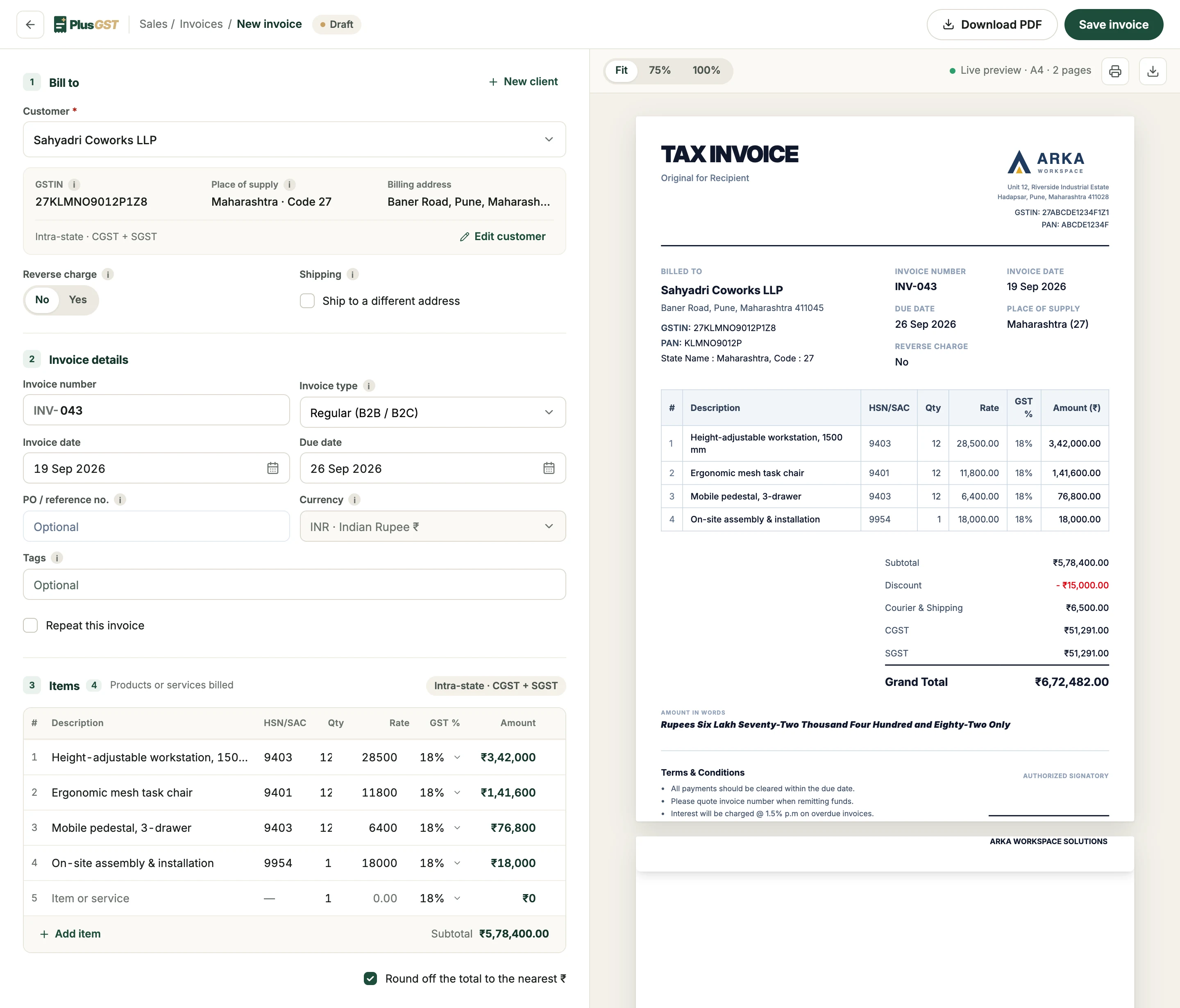
Fill in the form and the invoice builds itself beside it, with CGST and SGST or IGST worked out for you. Download the PDF or print it. No sign-up, and nothing you type leaves your browser.
Three steps to a GST invoice.
The same builder PlusGST customers use, with the parts that need an account left out.
- 1
Your business
Your name, GSTIN and address, with a logo, a signature and bank details if you want them. They stay in this browser, so the next invoice starts with them.
- 2
Customer and items
Who you are billing and their State, then each item with its HSN or SAC code, quantity, rate and GST rate. The GST splits as you type.
- 3
Download or print
The PDF is the A4 sheet you see in the preview, page by page. Print it, or send the file however you send invoices today.
What a GST invoice has to show.
Rule 46 of the CGST Rules lists what a tax invoice from a registered business must carry. The generator has a place for each of them.
| The invoice must show | Where you enter it |
|---|---|
| Your name, address and GSTIN | Your business |
| A serial number of up to 16 characters, unique in the financial year, and the date | Invoice details |
| Your customer’s name and address, and their GSTIN if they have one | Bill to |
| The place of supply, with its State code | Bill to: the customer’s State |
| Description, HSN or SAC code, quantity and value of each item | Items |
| The taxable value after any discount | Charges: the discount comes off before tax |
| The rate and amount of CGST and SGST, or IGST | Worked out from your State and the customer’s |
| Whether tax is payable on reverse charge | Bill to: Reverse charge |
| Your signature | Your business: upload one, or sign the printout |
Not registered for GST? Choose Not registered in Your business: the invoice charges no GST, prints no GSTIN and is headed Invoice rather than Tax Invoice. For the whole picture, from numbering to HSN digits, read the GST invoicing guide.
Next time, it fills itself in.
Here you type everything for every invoice. In PlusGST you type it once.
- Customers and items, kept
- Pick a saved customer and their GSTIN, address and State come with them. Saved items bring their HSN code, rate and GST rate.
- Numbered for you
- Each invoice takes the next number in this financial year’s series.
- Ready for your CA
- Every invoice is counted in the GSTR-1 and GSTR-3B files PlusGST prepares, and you can see who has paid.
Questions, answered plainly.
More on the FAQ page.
Is the invoice generator free? Do I need an account?
It is free and needs no account. Make, download and print as many invoices as you like.
Does PlusGST see or keep my invoice?
No. The invoice is built and turned into a PDF in your browser, and nothing you type is sent to PlusGST. Your business details and the draft are kept in this browser, so your next invoice starts with them. New invoice clears the draft, and Clear removes your business details.
How does it choose between CGST and SGST, and IGST?
From the GST state codes of your business and your customer: the first two digits of a GSTIN, or the State you choose. The same State means CGST and SGST in equal halves; a different State means IGST at the full rate.
Can I use it if I am not registered for GST?
Yes. Choose Not registered: the invoice charges no GST, prints no GSTIN and is headed Invoice rather than Tax Invoice.
Can I add my logo, signature and bank details?
Yes, all three, in Your business. The logo prints at the top in place of your business name, the signature above Authorised Signatory, and the bank details only when you tick Print bank details for payment.
Is the GST worked out the same way as in PlusGST?
Yes. This is PlusGST's own invoice builder and tax calculation, so its figures match an invoice made in the app to the paisa.
Can I save invoices or email them to customers?
Not from this page, which makes the PDF for you to download or print. In PlusGST each invoice is saved and numbered in its series, can be emailed to the customer, and is counted in the GSTR-1 file PlusGST prepares.
Around the invoice.
Work out a figure first, or read what the invoice needs to carry.
Keep your next invoice in PlusGST.
Start with the Free plan and see how PlusGST fits into your day.